Most meeting tools help you schedule the call. Fewer help you close it — with a Minutes of Meeting (MOM) people trust, attendance on record, files in the right place, and action items that do not vanish into someone’s inbox.
NoviMeet is NovIqra’s meeting management platform built for that second job. It treats every meeting as one structured record: schedule and location, rich-text MOM, who attended, supporting attachments, and owned tasks with due dates — then emails participants the moment the meeting is published.
If you want the business case first, read why meeting management software matters. This article is a practical walkthrough of how NoviMeet works in the product today.
One record per meeting — not a folder of fragments
Before diving into screens, the design principle is simple: MOM, attendance, attachments, and tasks belong together. When they live in separate Word files, spreadsheets, and email threads, follow-up slows down and accountability gets fuzzy.
NoviMeet keeps the full lifecycle in one application. Organizers run a guided wizard. Attendees receive the MOM by email. Task owners get assignments automatically. Managers see open work on a dashboard. Status changes leave an audit trail. That is the thread this walkthrough follows.
Step 1–5: The guided meeting wizard
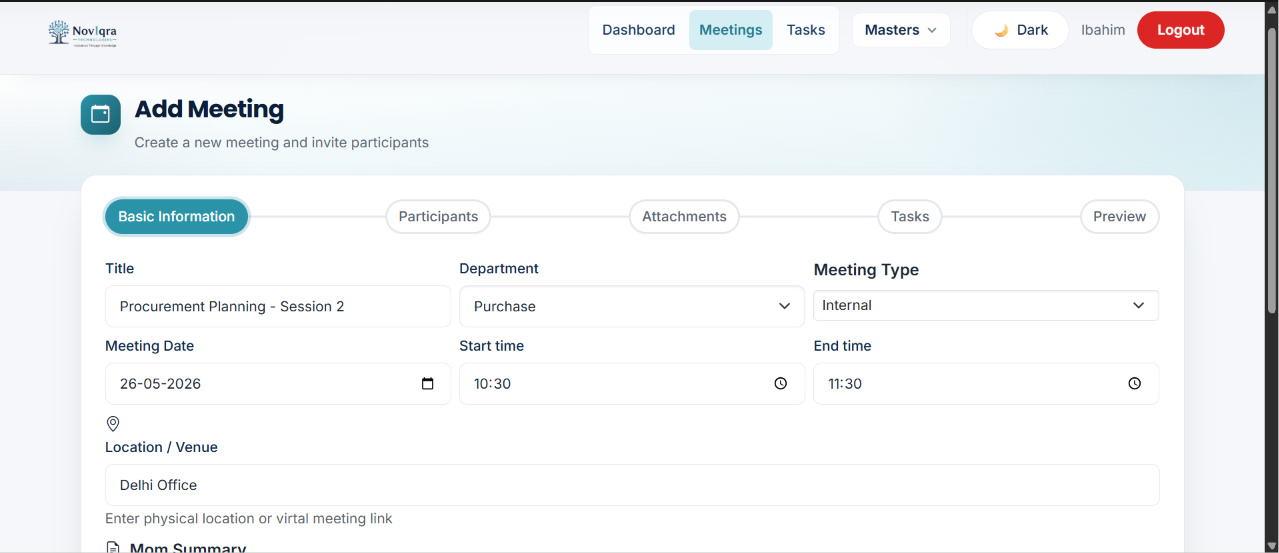
Ad-hoc note-taking invites inconsistency. NoviMeet’s wizard enforces the same capture flow for every meeting so teams spend less time formatting documents and more time on substance.
- Basic information & MOM — title, department, schedule, location, meeting type, and a rich-text minutes summary.
- Participants — select attendees and mark each person present or absent.
- Attachments — upload supporting documents stored with the meeting.
- Action items — assign tasks with owner, assigner, assigned date, and due date while the meeting context is fresh.
- Preview & publish — review everything, save, and trigger MOM and task emails.
The wizard is not cosmetic. It prevents organizers from accidentally publishing a meeting without attendance, files, or task assignments — the details that usually get “filled in later” and never are.
What happens when you publish
Accountability starts the moment a meeting is saved. NoviMeet sends:
- MOM email to participants — the summary and meeting context, not a vague “see attached.”
- Task emails to assignees — each owner receives their action item with enough detail to start work immediately.
An email notification log in the platform records what was sent and when — useful when someone claims they never received an assignment, or during audits and handovers.
The meeting details view: everything in one screen
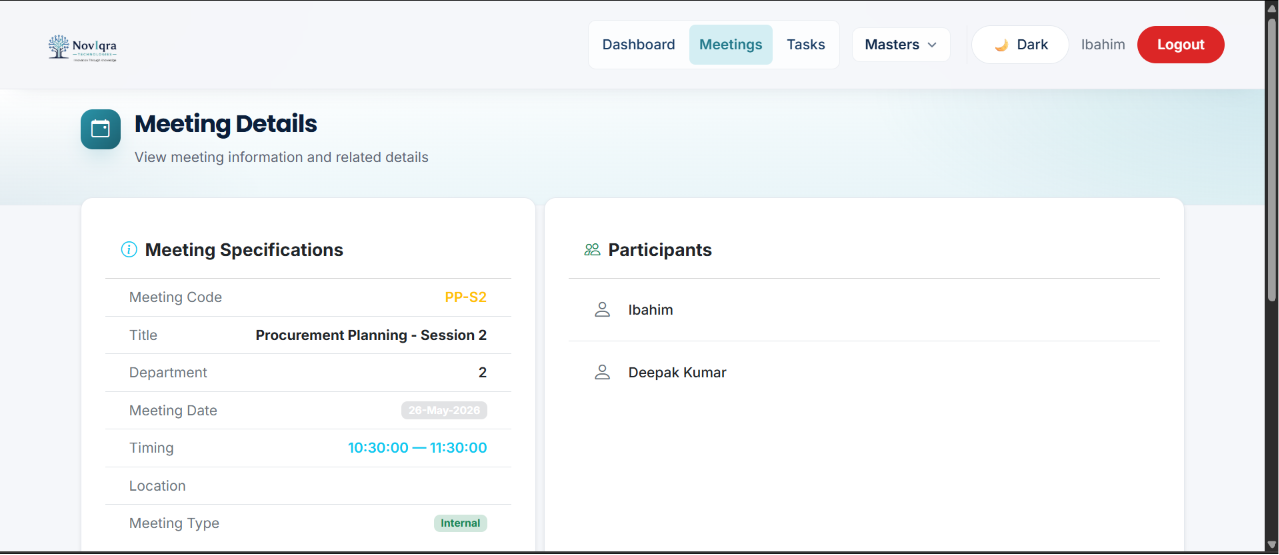
After publish, the meeting details page is the single source of truth. Specifications (code, title, department, schedule, location, type), participant list with attendance, attachments, MOM content, and linked action items all appear together.
That unified view matters weeks later when a task owner needs to remember why they were assigned something — without reconstructing context from three different tools.
Action items with owners, not “someone will handle it”
Tasks created in the wizard stay linked to their source meeting. Each item carries a title, description, owner, assigner, due date, and status. Teams can submit work for approval, approve or reject with comments, and track every status change in history — who updated it, when, and optional notes.
There is also a dedicated tasks list for day-to-day work outside the meeting form — filter, search, and manage assigned action items across meetings from one grid.
Dashboard visibility for managers
Individual meeting records answer “what happened in this call?” The dashboard answers “what is the shape of our meeting workload?”
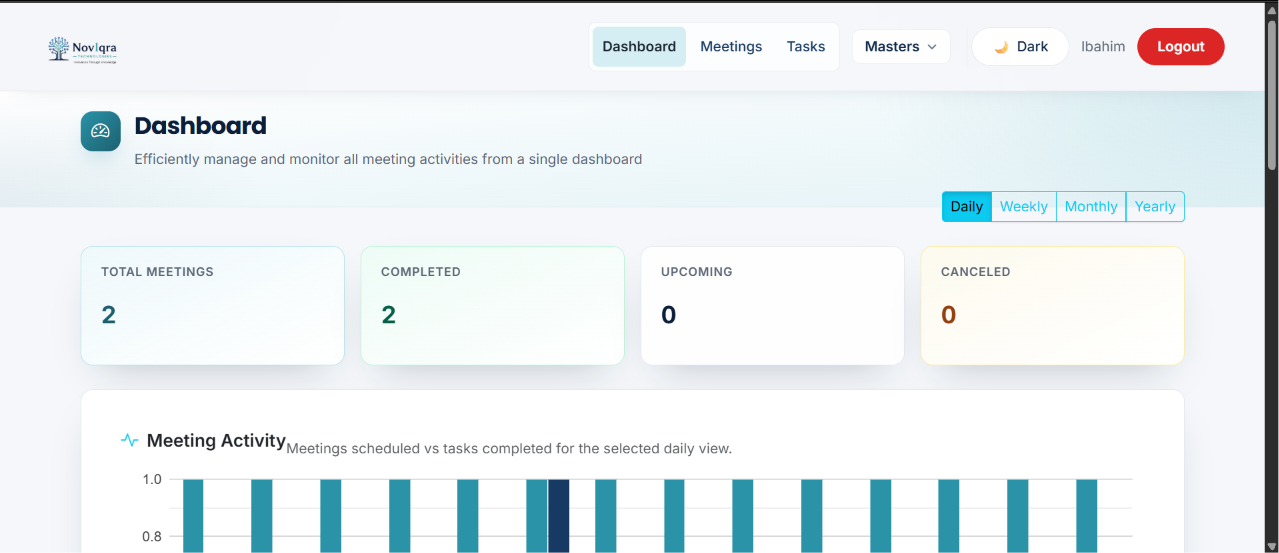
NoviMeet’s dashboard summarizes meeting volume — total, completed, upcoming, and canceled — with daily, weekly, monthly, or yearly filters. Open action items, task status breakdown, recent meetings, and upcoming schedules give managers a quick read on where follow-through is stalling without opening every record one by one.
Meetings list, departments, and access control
Beyond the wizard and dashboard, NoviMeet includes the operational basics enterprise teams expect:
- A searchable meetings list with filters and pagination
- Department master and user management for organizational structure
- Role-based visibility for who can create or view meetings
- Task status history and email logs for traceability
Active Directory single sign-on, automated overdue reminders, and management reports with Excel export are on the roadmap — the core meeting-to-task workflow is live today.
Built on the stack we ship for clients
NoviMeet is not a prototype glued to a landing page. It is built on the same enterprise stack NovIqra uses for client work: Angular on the frontend, ASP.NET Core API, and SQL Server on the backend — responsive on desktop, with dark mode support across the UI.
That matters if you are evaluating NoviMeet for a pilot or comparing it to custom-built meeting tools: you are looking at production-grade architecture, not a disposable demo.
Who should see NoviMeet next
NoviMeet fits teams where meetings produce decisions other people must execute — operations syncs, procurement reviews, HR committees, project status calls, and any recurring meeting that currently ends with “I’ll send the MOM later.”
If that sounds familiar, the fastest way to evaluate fit is a guided demo: walk the wizard, publish a sample meeting, and see how tasks and emails flow from one record.