NoviMeet Meeting Management — MOM, Attendance & Action Items
NoviMeet is NovIqra's web-based meeting management and action-item tracking platform — built with Angular and ASP.NET Core. It replaces scattered meeting notes and email threads with one structured record per meeting: schedule and location, a rich-text Minutes of Meeting (MOM), participant attendance, file attachments, and owned action items with due dates. When a meeting is published, participants receive the MOM by email and assignees get their tasks automatically.
From meeting to owned action items
Every meeting follows the same workflow — MOM, attendance, attachments, and tasks stay in one record.
See NoviMeet in action
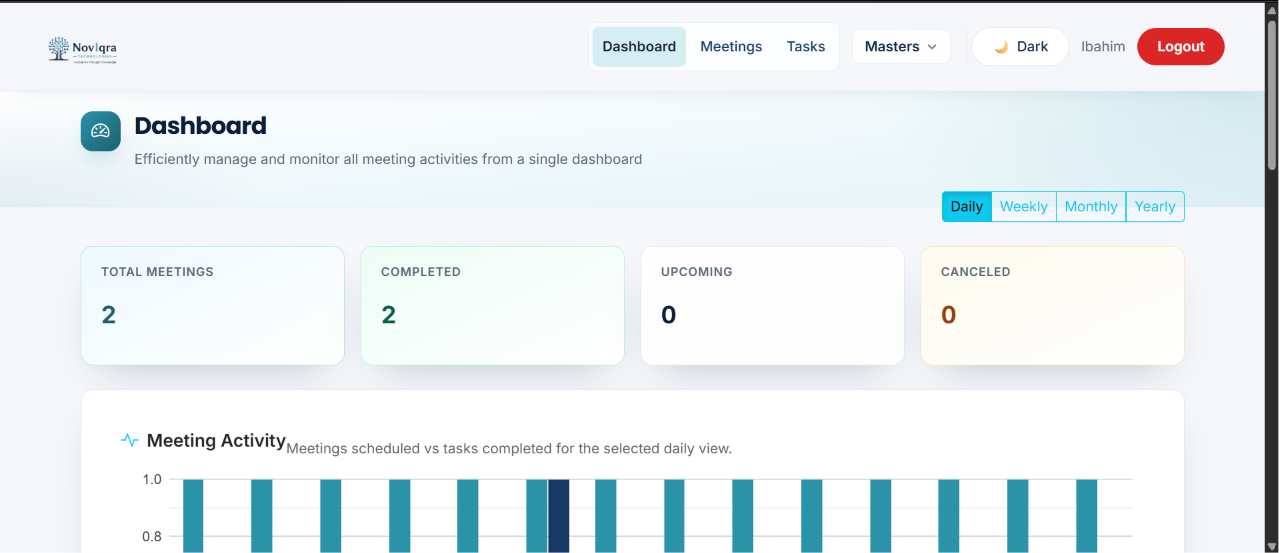
Dashboard, meetings, MOM details, the guided wizard, and owned action items — one platform from notes to follow-through.
Meetings that end with clarity
Built for teams where follow-ups shouldn't disappear into inbox threads or shared folders.
What's live and what's next
The core meeting workflow is complete. AD sign-in, reminders, and management reports are planned next.
Browse product screenshots above, read Inside NoviMeet: wizard to action items, book a demo, or see why meeting management software matters.
NoviMeet FAQ
What NoviMeet is, who it's for, and how to see it.
Meeting management software — structured MOM and accountable action items
NoviMeet replaces scattered email threads with a single workflow: schedule a meeting, capture attendance, attach files, publish minutes of meeting (MOM), and assign action items with owners and due dates. When MOM is published, stakeholders receive email summaries automatically — so decisions do not disappear in inboxes.
Teams in India use NoviMeet for leadership reviews, project stand-ups, compliance committees, and client-facing workshops. Read Inside NoviMeet: wizard to action items or why meeting management software beats email notes. Built by the same Mumbai engineers behind NoviManager HRMS.
Walk through NoviMeet with us
The platform is built and ready for demo. Tell us how your team runs meetings and we'll show the wizard, dashboard, and task workflow on a call.
Request a demo